To improve frame rates in Enshrouded, optimize its graphics settings and utilize upscaling tools such as OptiScaler and DS Swapper to balance quality and performance.
Check Graphics Settings in Enshrouded
Effective FPS improvement begins with reviewing and adjusting the game's graphics settings.
steps
- Launch Enshrouded and navigate to "Settings" > "Display."
- Review the available options, such as antialiasing (FSR3, FXAA, FSR inputs), to determine the best compromise between visual quality and performance.
Improve Upscaling with OptiScaler
Since Enshrouded’s Vulkan API can limit its default upscaling capabilities, OptiScaler offers a workaround.
steps
- Download the OptiScaler tool from its official website.
- Open your game installation directory. In Steam, click the cogwheel icon next to the game, select "Manage," then "Browse local files."
- Extract OptiScaler files such as "D3D12 Optiscaler DLSS overrides," "fake NV API," "XCSS configurations," and "setup windows.bat" into the game directory.
- Run the "setup windows.bat" file, selecting options suitable for your hardware (e.g., "whim.dll" for Vulkan). Then, enable the signature override in the DLSS folder.
- Configure OptiScaler to use XCSS for improved image stability and save the settings for optimal results.
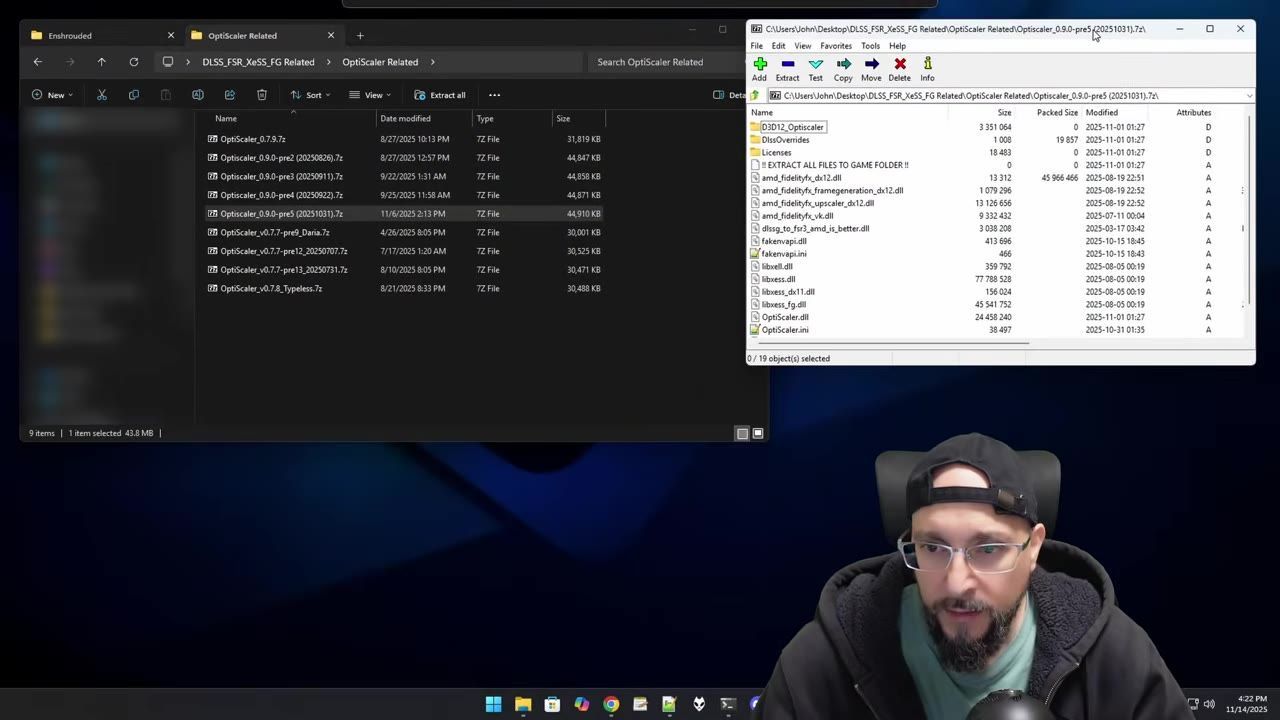
The OptiScaler folder and its contents are displayed side by side with a file archive tool. — GeekJ
Update Using DS Swapper
DS Swapper ensures you are using the latest upscalers available for your game.
steps
- Install DS Swapper and launch the tool.
- Locate Enshrouded in the application and update all available upscaling options.
- Replace outdated upscalers with newer versions, prioritizing Vulkan-specific algorithms such as XCSS, for better performance and image quality.
Configure Frame Scaling Methods
Selecting the right frame scaling method can greatly impact the game’s performance and visuals.
Faq
FAQ
how to improve fps settings in Enshrouded
To improve FPS settings in Enshrouded, start by optimizing the in-game graphics settings, experimenting with available options like FSR3 or FXAA to balance quality and performance. Tools such as OptiScaler and DS Swapper also enable better upscaling methods and ensure the latest configurations for enhanced performance.
Sources
Screenshots on this page are frames from the videos below, used to illustrate the steps they describe. All rights remain with their creators.
- 🚀Enshrouded "Wake of the Water": ULTIMATE FPS Boost Guide — GeekJ, November 14, 2025
Checked against:
- We're still cooking for 1.0. Here's some news you may have missed! — CoolUsernameBro, 2026-08-27
- Changelog for Hotfix #42 v.0.9.1.2 — CoolUsernameBro, 2026-06-29